AquaTwin Sewer's RDII Calibration module allows the user to automatically calibrate the RTK parameters of Unit Hydrographs to match observed RDII inflow data using the advanced Genetic Algorithm optimization. The user can specify and import observed RDII inflows a single or multiple monitoring locations. In addition to calibration capability, the module automatically identifies dry weather flow from flow meter data and then extracts weekday and weekend patterns.
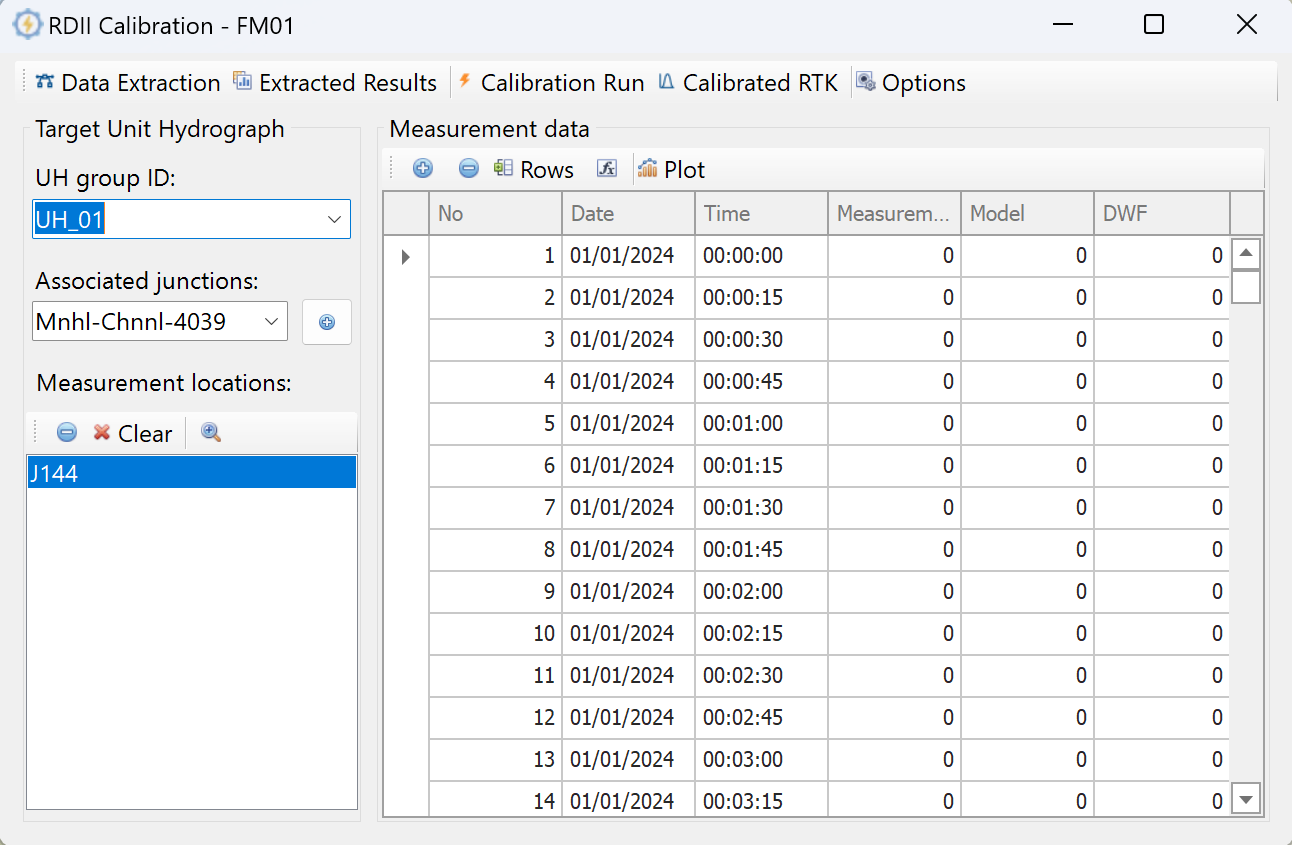
Extract rainfall events and DWF patterns from the measurement data.
View the extracted rainfall events and DWF patterns.
Run the advanced Genetic Algorithm to calibrate the RTK parameters of the selected unit hydrograph (UH) group.
View and apply the calibrated RTK parameters to the model.
Options for the advanced Genetic Algorithm and DWF extraction.
The dropdown menu contains all the UH group IDs specified in the model. Select the UH group ID to calibrate.
The dropdown menu contains all the junctions associated with the selected UH group. Selecting the junction from the dropdown menu and pressing the  button will add the junction in the Measurement locations window.
This window allows users to paste their measurement data at the selected junction location. Users can add or delete single rows by using  or
or  buttons. Additionally, users can add a fixed number of rows using the rows button.
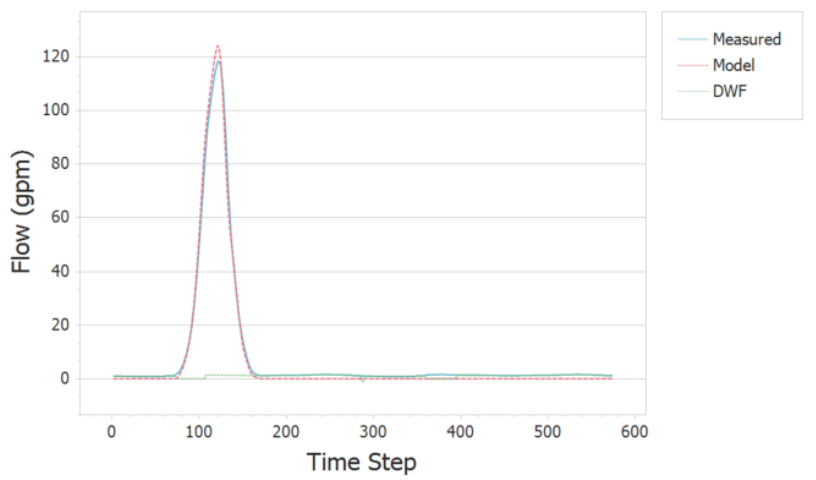
  button opens the field calculator for the Measurement column. Plots will plot the Measured vs. Model RDII flowrates at the specified location.