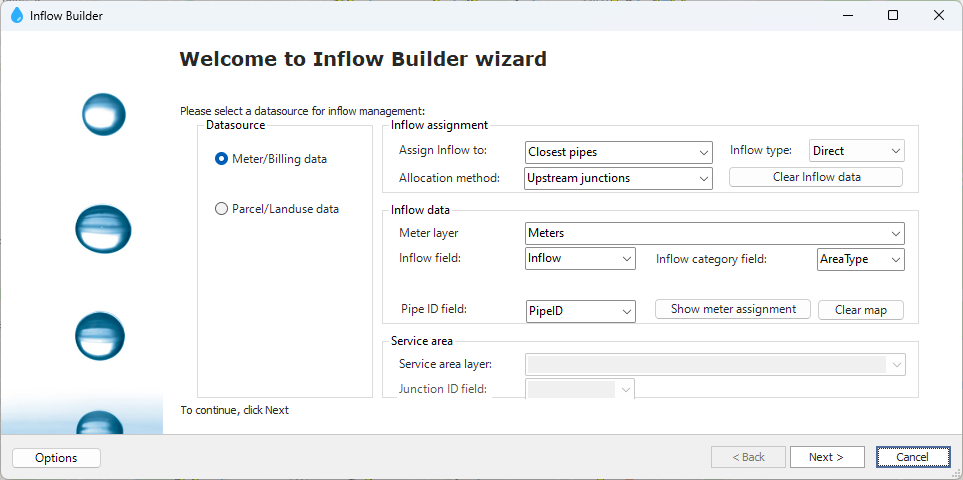
The Inflow Builder tool in AquaTwin Sewer assigns inflows to junctions and can be run on the entire system or a selection in ArcGIS.
Selects between using meter/billing data (point feature class) or parcel/landuse data (polygon feature class) to assign inflows.
Assigns inflows using a point feature class with the inflow data.
Assigns inflows using a polygon feature class with the inflow data.
Determines how the data from the datasource will be assigned to junctions.
Defines the distribution strategy when assigning inflows to the closest pipes
Junctions can have direct, dry weather, or RDII inflow types. Options in Inflow Builder include Direct or Dry Weather.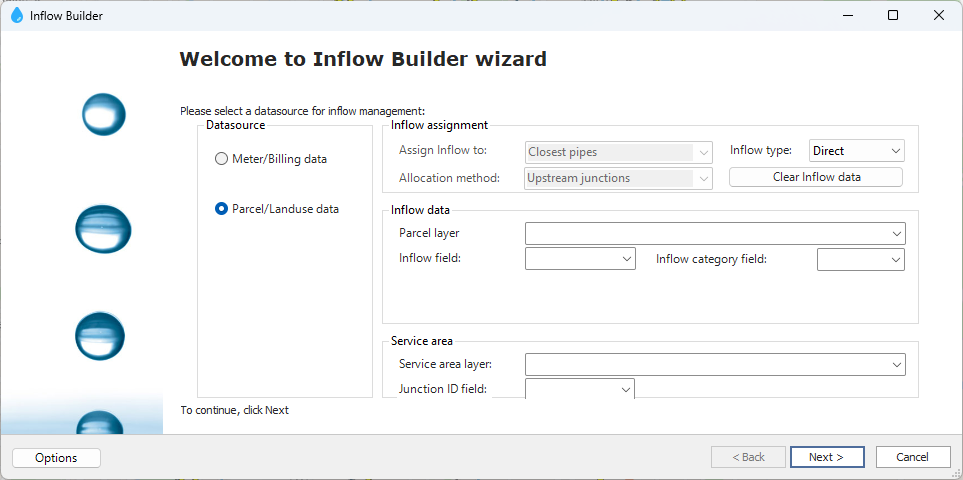
Clears inflow data from all or selected junctions in ArcGIS.
Specifies where the inflow data is stored.
The feature class containing the inflow data.
The field within the meter/parcel layer containing inflow data.
A text field in the meter/parcel layer with unique land use or category for each point/polygon, used for assigning different coefficients or patterns.
For closest pipe assignments, create a blank text field in the meter layer for pipe ID population. For designated junction/pipe assignments, choose the field with the junction or pipe ID.
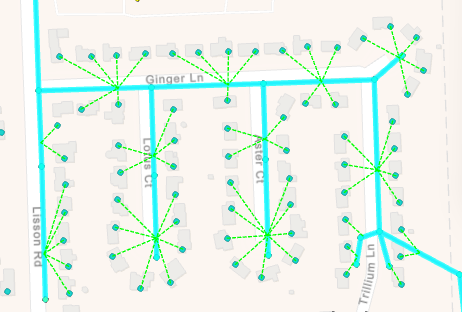
Draws lines from points in the meter layer to their assigned junction.
Removes the lines showing meter assignments.
Defines junction service areas as polygons specifying which inflow data belongs to each junction.
The service area polygon feature class for junctions.
The field within the service area layer containing the junction ID.
The default pattern to be assigned to the newly calculated inflows. It can be manually assigned in next dialog box.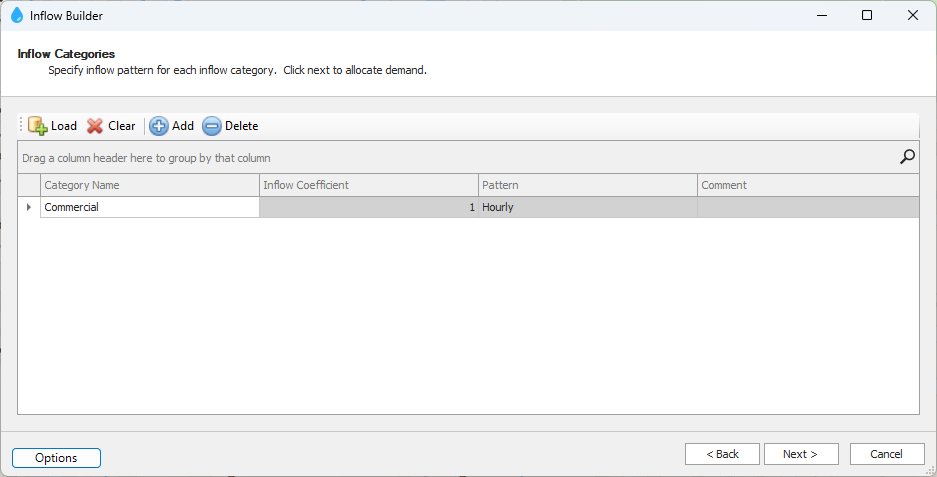
The default inflow coefficient that will be multiplied by the calculated inflow for each junction. It can be manually assigned in next dialog box.
This is a global multiplier that can be assigned to all inflows.
When the inflow assignment method is set to Closest pipes, this is the maximum search distance.
Assigns coefficients and patterns to unique category names from the specified category field.
Followed by a summary of inflow assignment upon clicking Next.